Version 1.1 available on the App Store
All your links, in one place.
Links pile up everywhere — a page you meant to read, a booking buried in an email, a recipe someone sent in a group chat. Share them into LinkLab, give each one a name you'll recognise, and find them again in seconds. All of it stays on your device.
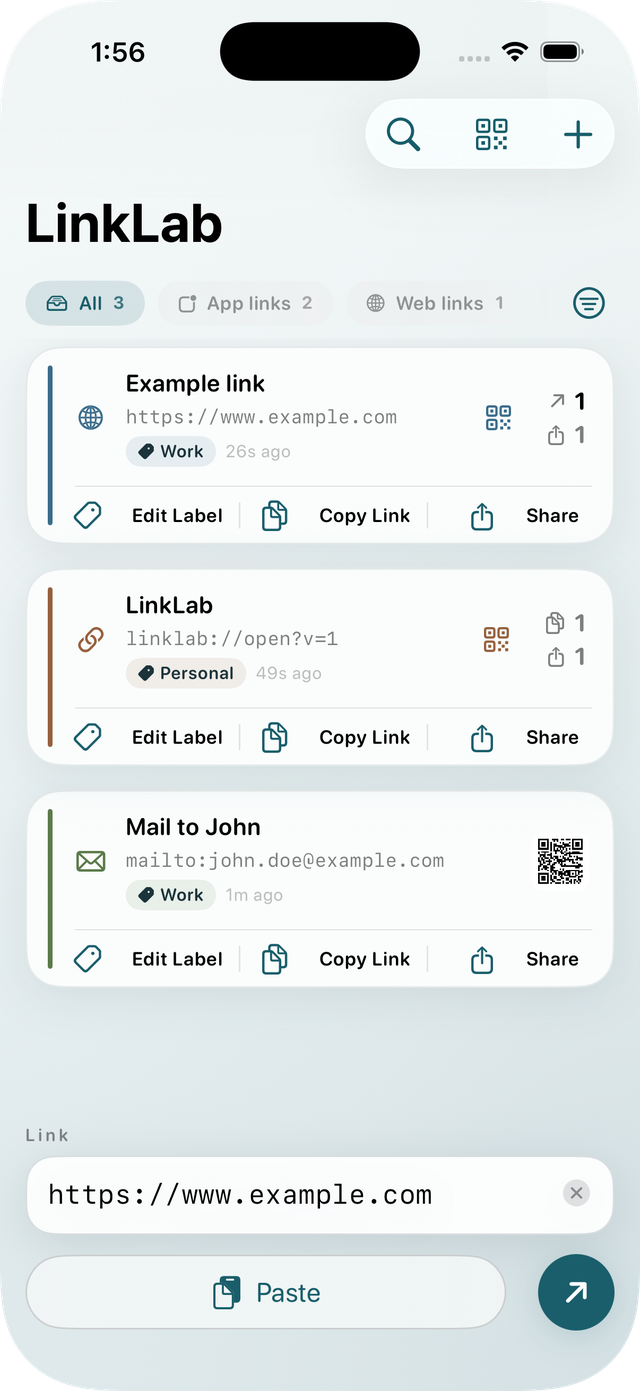
Five screens, light and dark
Every screen you'll actually use, in both appearances. Rounded, quiet, and out of the way of your links.
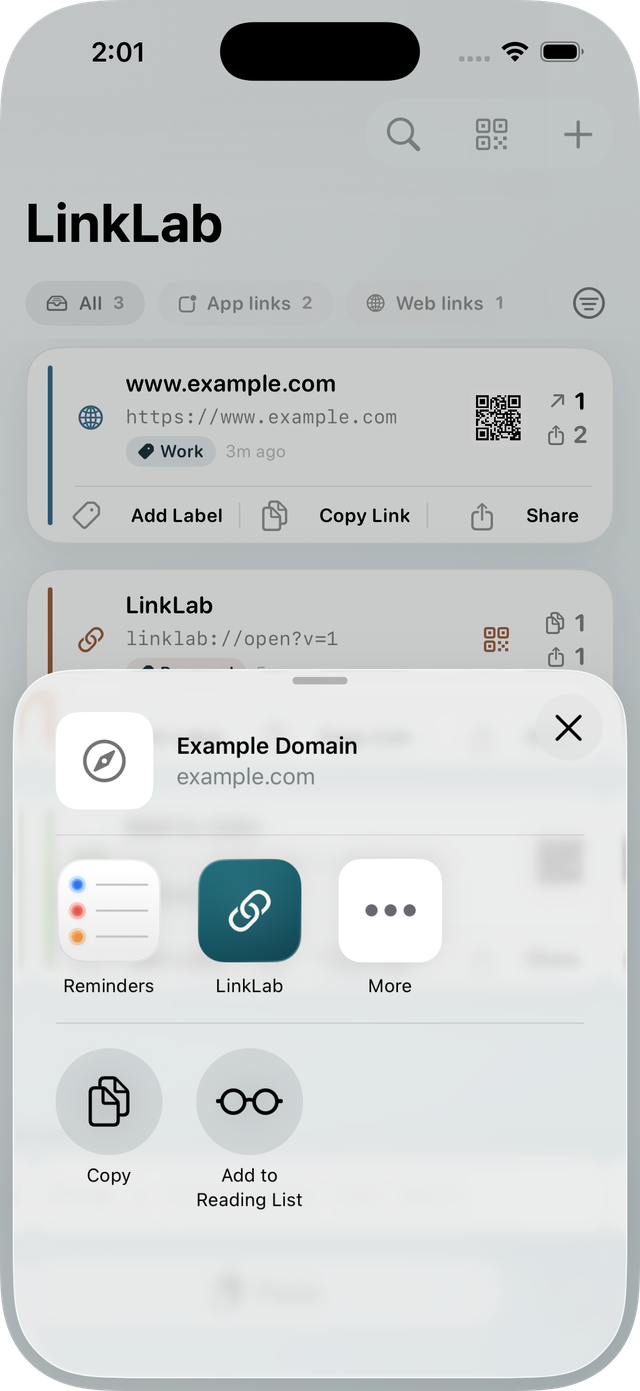
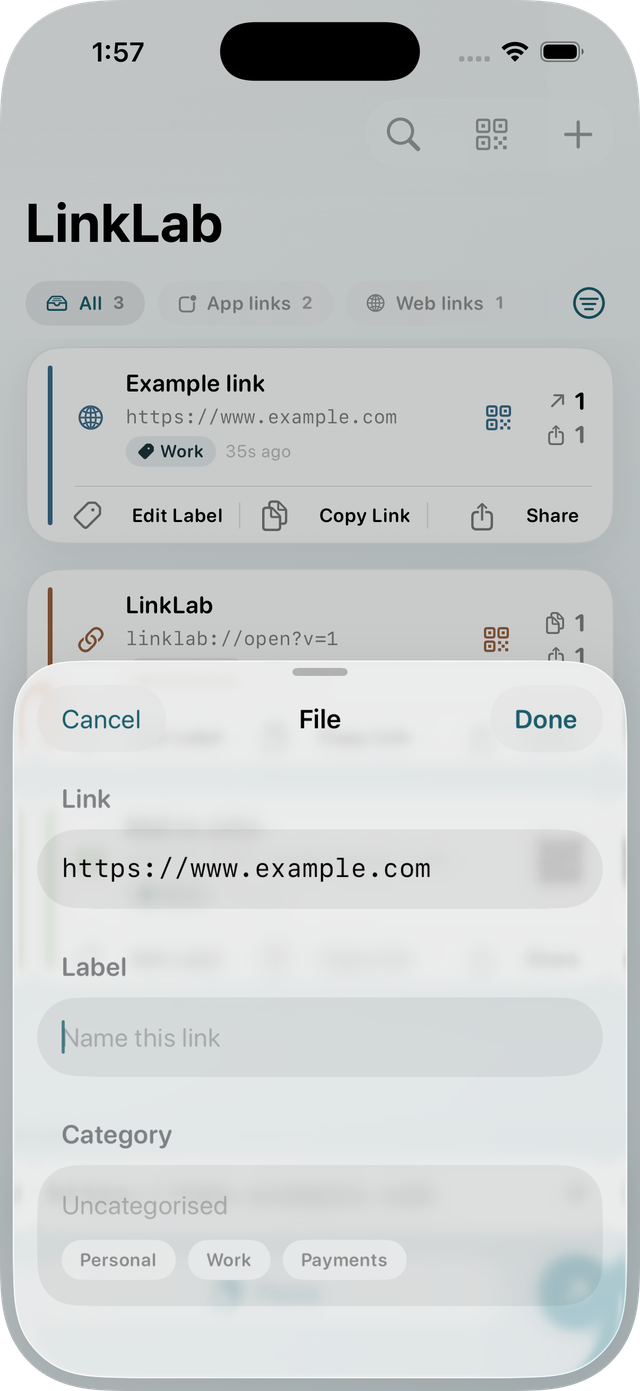
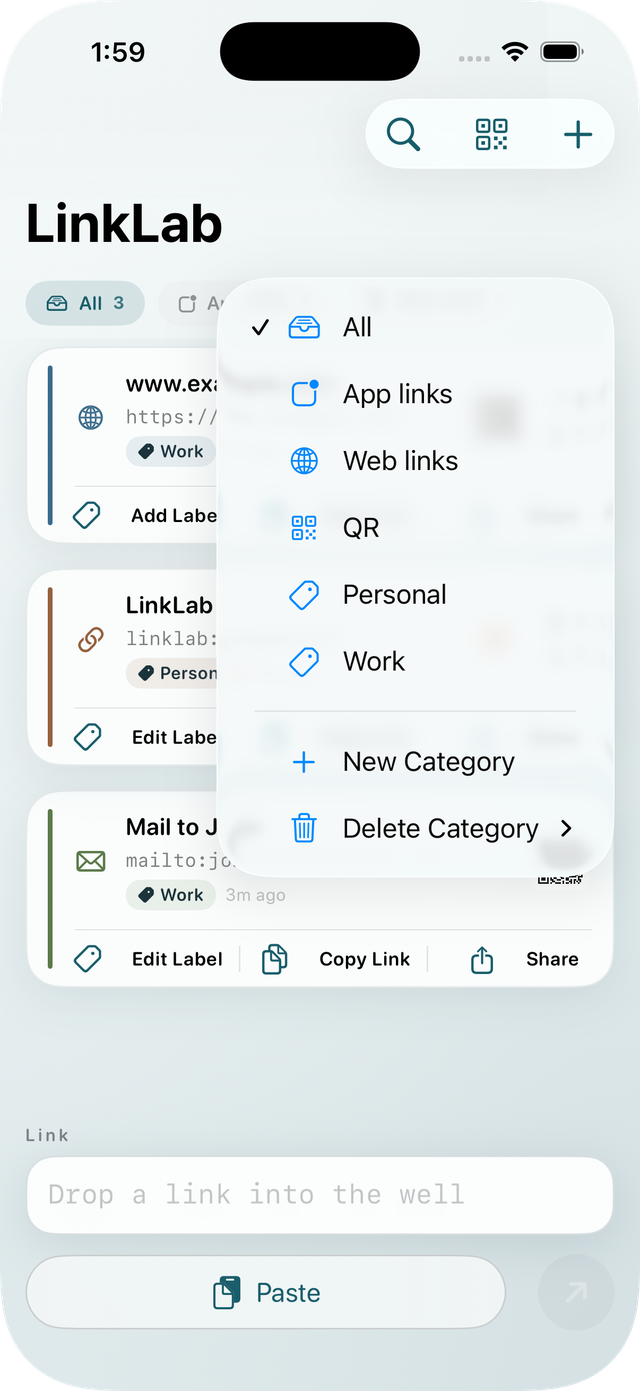
Save a link from any appNew in 1.1
Hit Share in Safari, Mail, Messages, or anywhere else a link turns up, pick LinkLab, and the save sheet opens right there. Add a label, drop it in a category, done — no app switching, no pasting a URL into a note you'll lose.
- Works from any app that offers a link to the iOS share sheet
- The link is waiting in your list the next time you open LinkLab
Give it a label and a home
A URL is a terrible name for anything. Save a link with a label you'll actually recognise later, and file it under a category you named yourself — Recipes, Work, To Read, Bills, whatever fits the way you think.
- Save a link without opening it, from inside the app or from the share sheet
- Every saved link shows its category on the card, so you can see what's what
Find it again in seconds
Everything you save lands in one list, newest first. Filter it down to a single category with a tap, or search by label or URL. Save the same link twice and LinkLab updates the entry you already have instead of piling up duplicates.
- Pin the links you reach for most — they stay at the top of the list
- Search sits behind a toolbar button, so your links get the whole screen
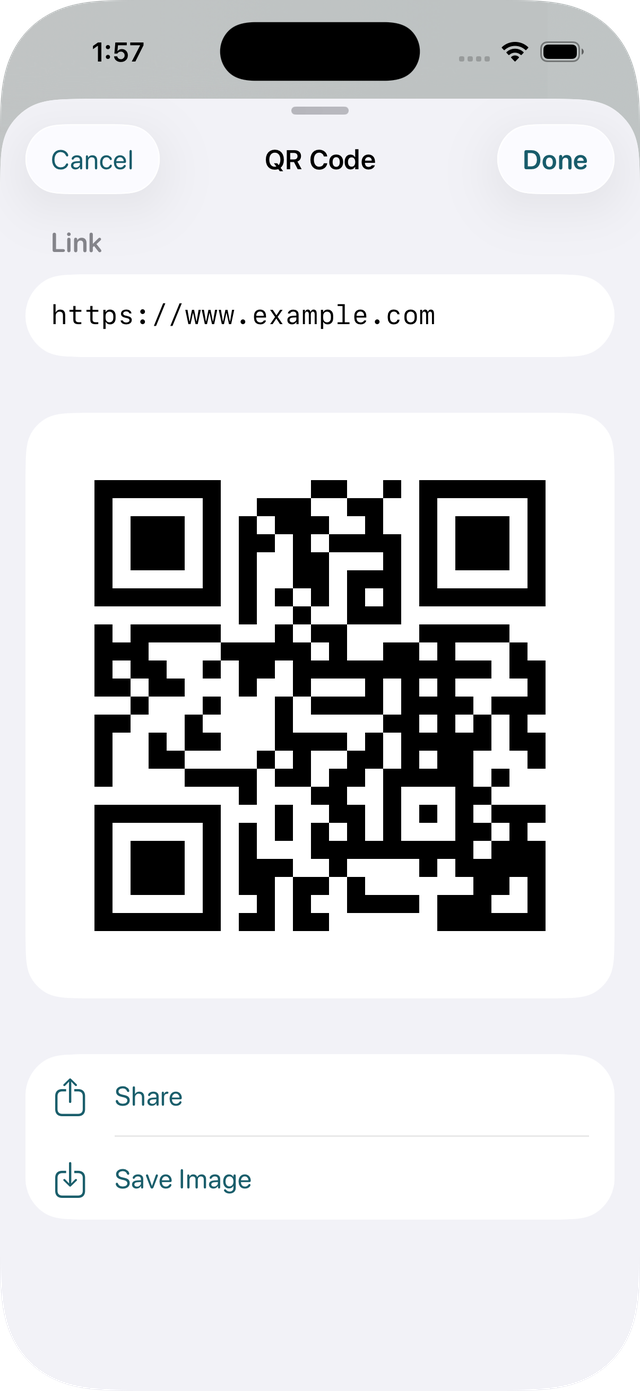
Turn any link into a QR code
Generate a QR code for any saved link with one tap. Share it, or save it straight to Photos. It's the quickest way to get a link onto someone else's phone — the check-in page, the shared album, the menu — without them typing a single character.
Opens anything, not just web pages
Tap a saved link and LinkLab hands it to whatever app on your device can open it — a web page to your browser, an address to Maps, an email to Mail. If nothing on the device can open it, LinkLab says so plainly instead of doing nothing.
- Custom app links work too — the
myapp://kind Safari won't touch - Which makes it a genuinely useful scratchpad if you build or test apps for a living
Runs entirely on your device
LinkLab has no network code at all — no server, no account, no sign-up, no analytics, no third-party SDK. There is nowhere for your links to be sent. QR codes are generated on your device, and Photos access is add-only, requested only the moment you choose to save an image.
Read the full privacy policy →